 Ofrenda Viva
Photo restoration
Restore old photos without changing their face
That old photo of your grandparents, torn, stained or blurry, can look like the day it was taken. Without inventing features: it's still the same person.
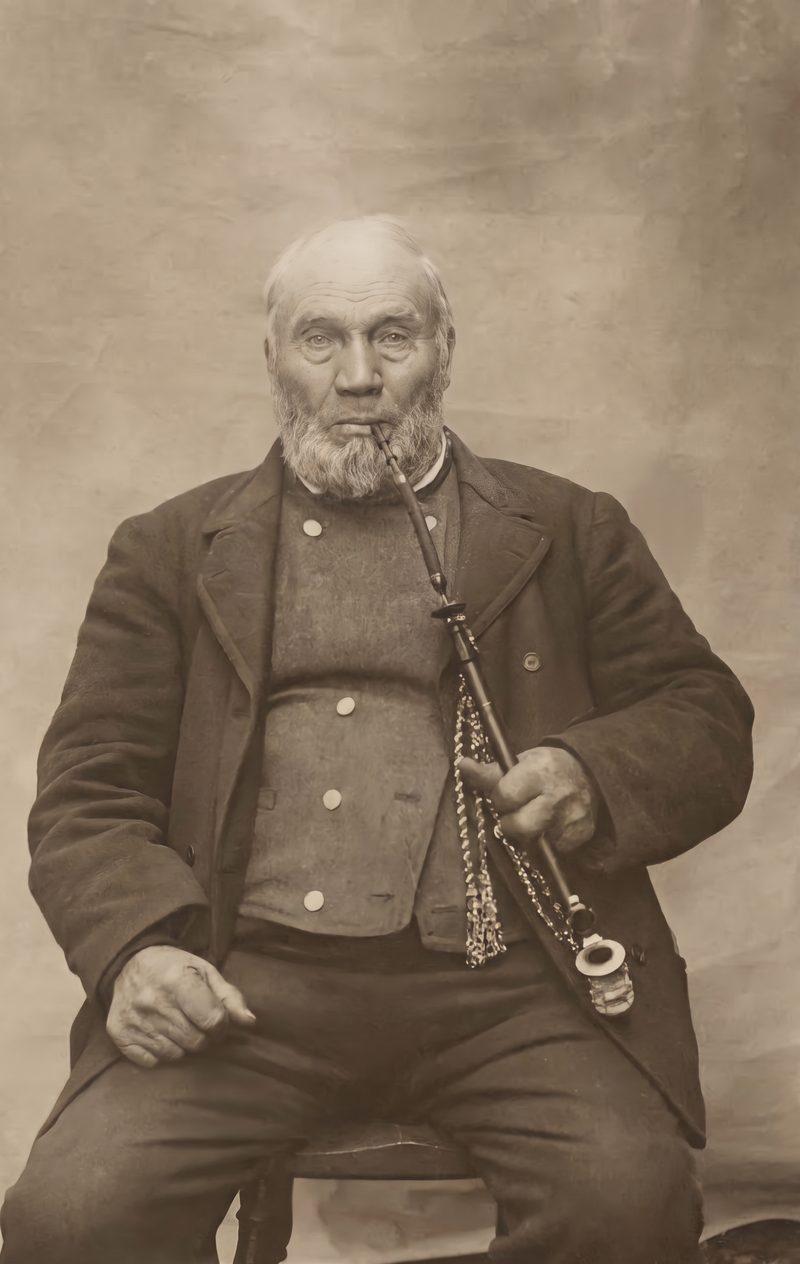
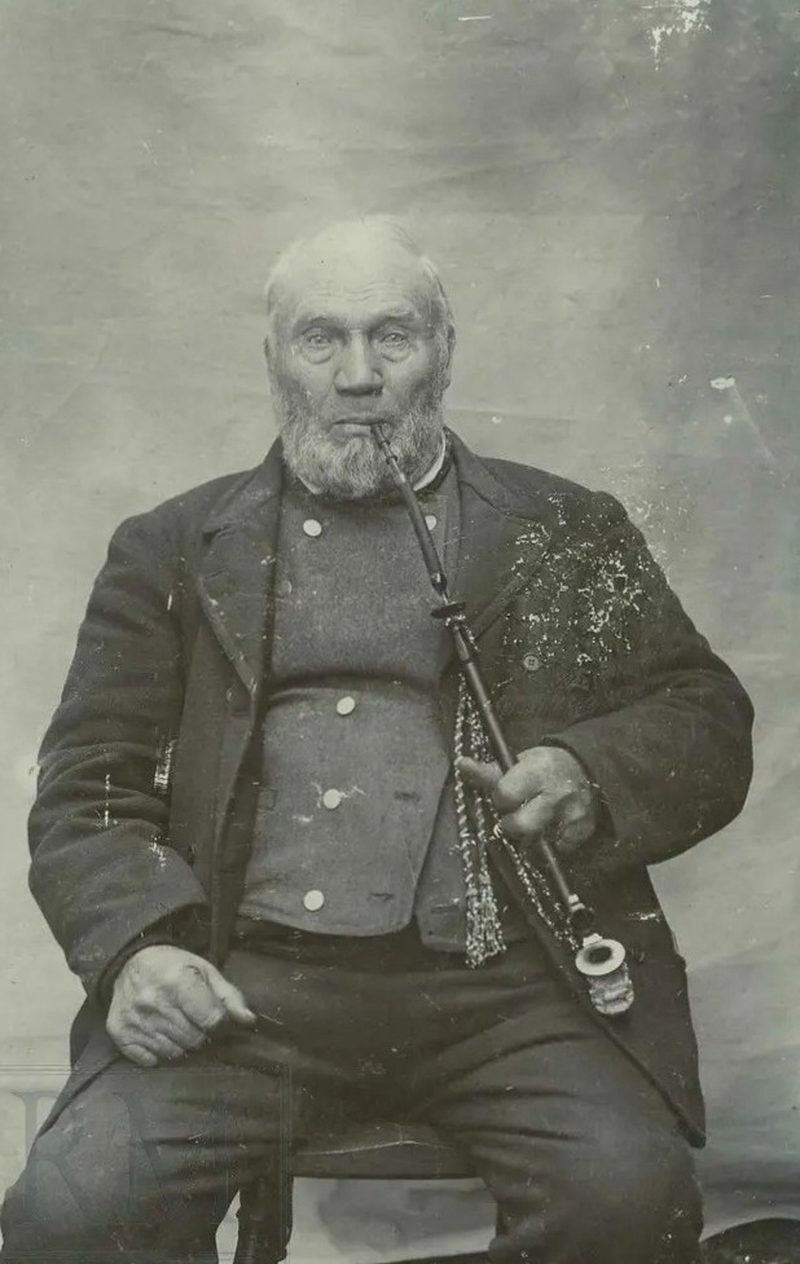
Slide to compare. Public-domain archive photo (Norway, around 1900), restored with Ofrenda Viva. See original
What we repair
- Cracks, folds and torn corners
- Water stains, mold and tape marks
- Scratches, dust and white specks
- Faded, yellowed or low-contrast photos
- Slightly blurry or low-resolution photos, so they can be printed
What we don't do: change their face, "beautify" it, or invent features that aren't in the photo. That's why you see a free preview before you pay.
How it works
- Upload the photo. A phone picture of the printed photo works.
- Type their name and years, for the altar cards.
- In seconds you see the free preview. If you love it, pay and download in high resolution.
No account needed.
How to photograph an old print with your phone
- Lay it flat by a window, in daylight but out of direct sun.
- Don't use flash: it leaves a white glare that wipes out detail.
- Hold the phone parallel to the photo so the face doesn't distort.
- Move closer until the photo fills the screen, instead of zooming.
- Tap on the face to focus, and take 2 or 3 shots.
- Don't add filters.
Pricing
- Digital Ofrenda$8.99
- Ofrenda + Living Memory$12.99
- Family Ofrenda (2 or 3 loved ones)$19.99 / $24.99
One-time payment. 7-day money-back guarantee.
Guide: what goes on a Día de Muertos altar and what it means →
Frequently asked questions
Do you change the person's face?+
No. We repair the photo (cracks, stains, scratches, folds) and keep their features exactly as they are in the original. Before you pay you see a free preview, so you can check.
Do I need to scan the photo?+
No. You can take a picture of the photo with your phone, by a window, without flash.
How much does it cost?+
The preview is free. The Digital Ofrenda (restored photo and altar cards) is $8.99; with Living Memory, $12.99; for 2 or 3 loved ones, $19.99 or $24.99.
What if I don't like the result?+
If you don't love it, email us within 7 days and we'll refund you. If something fails while creating your final version, the refund is automatic.
What happens to my photos?+
We use them only for your order and delete them automatically after 7 days. We don't sell them or use them to train models.
Do you colorize black-and-white photos?+
The restoration keeps the original photo's tone: a black-and-white or sepia photo stays that way, just clean and sharp.